
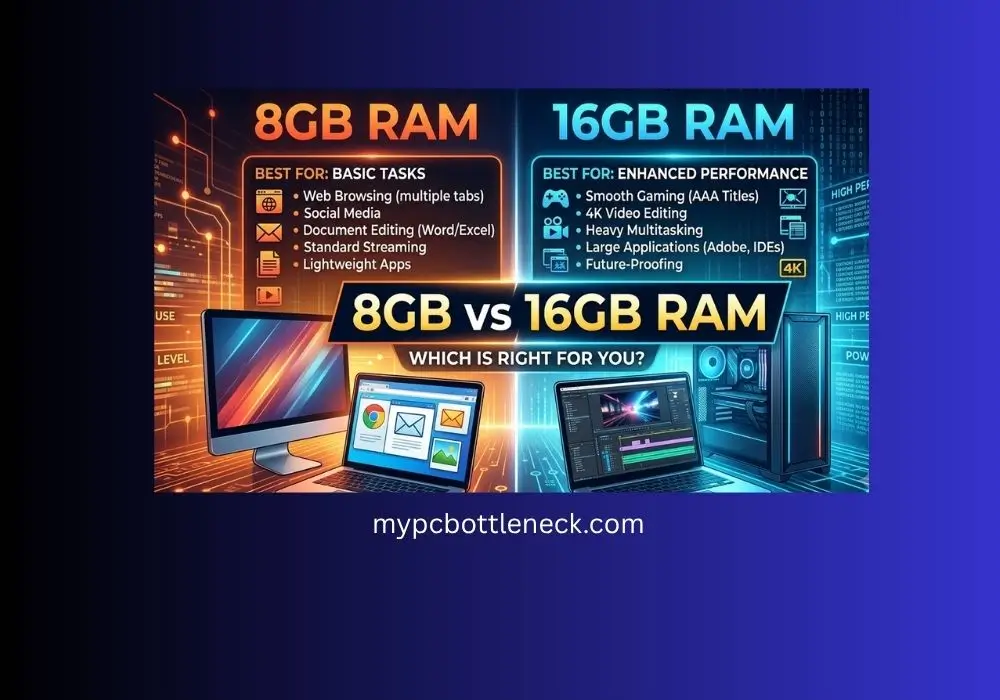
8GB vs 16GB RAM-The Truth Real Benchmarks Reveal (2026)
8GB vs 16GB RAM: short answer. 8GB is not enough for gaming in 2026 outside of a handful of light or older titles. 16GB is the real floor now, and several 2026 releases already lean past it. If you are still running 8GB, treat it as a “get by for now” setup, not a long-term one.
When it comes to 8GB vs 16GB RAM, 16GB wins in almost every modern game — sometimes by a small margin, sometimes by a lot. The gap isn’t just about average FPS either. It shows up hardest in 1% lows and frame time stutters, the stuff that actually feels bad while you’re playing, not just what shows up on a chart.
Table of Contents
8GB vs 16GB RAM Comparison
Here’s the Thing: 8GB Isn’t Totally Dead, It’s Just Unpredictable
Every RAM guide loves to say 8GB is garbage across the board. That’s not quite true, and pretending otherwise makes these guides useless. Real 2026 testing from TechSpot’s memory benchmark run, done on an RTX 5090 and Ryzen 7 9800X3D across a real Windows install (not a clean test bench), found some genuinely surprising results. Certain newer titles like Arc Raiders and Battlefield 6 actually run reasonably well on 8GB, with only minor stuttering.
Here’s the catch, and it’s a big one. In some games, 8GB doesn’t show up as bad performance at all. It shows up as wrong performance. Testing found that at 8GB, some games quietly swap in low-resolution, muddy textures instead of the ones your settings menu says you’re running. Your FPS counter looks fine. Your screen doesn’t look fine. That’s the kind of problem a bottleneck calculator can’t catch either, because it’s not a speed issue, it’s a memory capacity issue wearing a costume.
Game by Game: What 8GB Actually Does in 2026 Titles
When people search 8GB vs 16GB RAM gaming, this is really the question they’re asking: does it actually matter per game, or is it just generic advice? Based on TechSpot’s testing, here’s how memory capacity played out across specific games. These are real results, not simulated numbers.
Based on TechSpot’s testing, here’s how memory capacity played out across specific games. These are real results, not simulated numbers.
How Much RAM Do You Actually Need in 2026?
See the pattern? It’s not “8GB bad, 16GB good” across the board. It’s more like: competitive and older-engine games barely notice, while big open-world AAA titles either need 16GB as a hard minimum or are already creeping past it. If you mostly play the first kind, 8GB can survive a little longer than people think. If you play the second kind, 8GB is already holding you back today, not in some future update.
8GB vs 16GB RAM on Windows 11: Why It Feels Tighter Than It Should
Part of why 8gb vs 16gb ram windows 11 comes up so often in forums is that Windows 11 itself is heavier than people expect. Between background services, Widgets, Copilot processes, and file indexing, the OS alone can chew through a noticeable chunk of an 8GB pool before you even open a game. Add a browser with a handful of tabs and Discord running in the background, and an 8GB system is often starting a game session with less than half its memory actually free.
This is also where channel configuration matters more than people assume. GamersNexus testing on single-channel vs dual-channel memory found that running two matched sticks instead of one noticeably improves performance in memory-sensitive workloads, since it doubles the available bandwidth between your RAM and CPU. If your 8GB or 16GB kit is a single stick, that’s a free upgrade sitting right there before you spend a dollar on more capacity.
Is This a RAM Bottleneck or Something Else?
Not enough RAM doesn’t always look like “not enough RAM.” Stutters, texture pop-in, and random frame drops get blamed on the GPU constantly, when the real issue is memory capacity or memory speed. Before you spend money on a new graphics card, run your exact setup through our free bottleneck calculator to see if RAM is actually what’s dragging your build down.
Speed matters here too, not just capacity. If you’ve got 16GB installed but never enabled the fast profile, you’re leaving real performance on the table for free. Our guide on enabling XMP and EXPO walks through the two-minute BIOS fix that most builders skip without realizing it.
Does DDR4 vs DDR5 Change the 8GB vs 16GB Answer?
Not much, honestly. The generation of RAM you have matters way less than how much of it you have. A DDR5 kit at 8GB will hit the same wall a DDR4 kit at 8GB hits, just slightly faster. Capacity is the bottleneck here, not bandwidth. If you’re deciding between generations for a new build, our full DDR4 vs DDR5 breakdown covers when the newer standard is actually worth it and when it isn’t. If you’re sticking with an older DDR4 platform, our DDR4 speed guide shows the sweet spot so you’re not wasting the RAM you already have.
8GB or 16GB RAM Laptop: Which Is Better?
The question of 8gb or 16gb ram laptop which is better comes up constantly, and laptops add a wrinkle desktops don’t have: a lot of them ship with soldered memory that can’t be upgraded later. If a laptop lets you choose between 8GB and 16GB at checkout, pay the difference and get 16GB.
It’s a much cheaper decision to make upfront than discovering two years from now that your specific model has no free RAM slot and the memory is permanently fixed to the motherboard. For gaming laptops specifically, 16GB should be treated as the non-negotiable minimum, the same as a desktop build.
8GB RAM vs 16GB RAM Phone: Different Rules Apply
It’s worth separating this from PC gaming, because 8gb ram vs 16gb ram phone comparisons work under completely different rules. Mobile operating systems manage memory far more aggressively than Windows, closing and reloading apps in the background instead of relying on a page file the way a PC does. On a phone, 8GB is genuinely fine for most everyday use and mobile gaming, and the jump to 16GB mostly helps with keeping more apps open in the background at once rather than boosting in-game performance the way it does on a desktop PC.
Who Should Actually Stick With 8GB
Honestly, almost nobody building a new gaming PC in 2026. The only real case for 8GB is a very tight budget laptop or an old office PC being repurposed for light, older, or competitive titles at 1080p. Even then, it’s a stopgap. If you’re building fresh, our best RAM for gaming guide breaks down exactly which kits to buy at every budget level, and if you’re on an older AM4 platform trying to stretch value, check our best AM4 CPU picks to see what pairs well without a full platform rebuild.
16GB Isn’t Just “Enough,” It’s the New Floor
Pair the right RAM with the right CPU and GPU and the whole system clicks into place. If you’re building around a specific graphics card, our best CPU for RTX 5060 guide and best CPU for RTX 5080 guide both assume 16GB as the baseline for a reason: dropping below it undercuts even a strong CPU and GPU pairing. Same logic applies on the AMD side in our best GPU for Ryzen 5 9600X breakdown.
FAQ: 8GB vs 16GB RAM
Can 8GB RAM actually bottleneck a gaming PC?
Yes. A long-running Tom’s Hardware Forum thread on this exact question lands on the same conclusion real testing shows: 8GB paired with a mid-range or better GPU will hold back performance in demanding games, and 16GB is the commonly recommended minimum.
Is 16GB RAM overkill in 2026?
No. Community discussion on Tom’s Hardware Forums around this question consistently treats 16GB as the current baseline, not an upgrade, with 32GB reserved for streaming, heavy multitasking, or content creation on top of gaming.
Should I buy 8GB now and add more RAM later?
It’s risky. Forum users on Tom’s Hardware who tried this approach reported running into kit compatibility issues months later, sometimes needing to replace the original sticks entirely because the exact model was no longer available. Buying your target capacity upfront in a matched dual-channel kit avoids that headache.
Does single channel vs dual channel RAM matter as much as capacity?
Yes, more than most people realize. Running two sticks in dual channel instead of one single stick can meaningfully boost memory bandwidth, and it’s free performance you already own. Always buy RAM in matched pairs.
Final Words
So here’s the bottom line. 8GB RAM still works for a few games, but it’s on its way out. 16GB is what you need for smooth gaming in 2026. If your PC only has 8GB, you don’t have to panic today, but plan your next upgrade around getting to 16GB, not staying stuck at 8GB. It’s the easiest, cheapest fix for a lot of stutter and lag problems people blame on their GPU. Check your build with our free bottleneck calculator before you spend money on anything else.


