
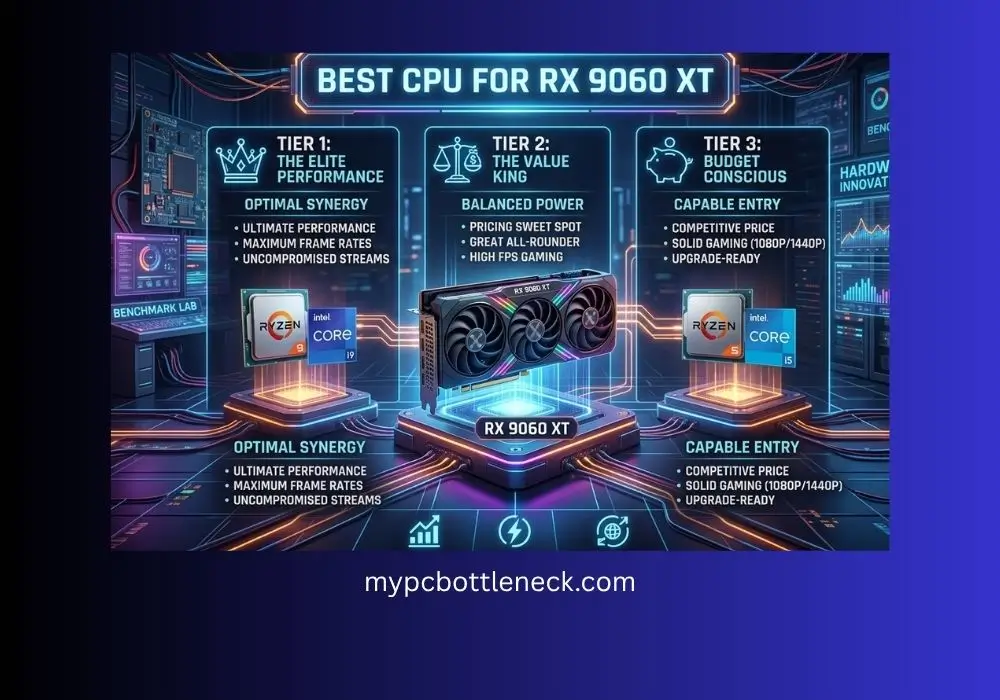
Best CPU for RX 9060 XT-Top Picks With Zero Bottleneck
So you picked up the RX 9060 XT and now you are wondering if your CPU can actually keep up with it. Good question to ask. Finding the best CPU for RX 9060 XT builds is not just about grabbing the priciest chip on the shelf. This card is one of the best value picks AMD has put out in a while, but pairing it with the wrong CPU means you are leaving frames on the table without even knowing it.
Here is the thing most roundup articles will not tell you. Whether you actually need a new CPU depends a lot on what you already have, what resolution you play at, and which games you play. A 5600G struggling in one game might be totally fine in another. So instead of just handing you a top 10 list, we are going to walk through how to actually check if your CPU is the problem, then give you real picks for every budget and platform.
We may earn a commission from purchases made through these links, at no extra cost to you.
Quick Answer
- BEST OVERALL Ryzen 5 9600X or Ryzen 5 7600 (AM5, no bottleneck at 1080p or 1440p)
- AM4 UPGRADE Ryzen 7 5700X3D or Ryzen 7 5700X if you want to keep your current motherboard
- BUDGET PICK Ryzen 5 7500F or Core i5-12400F
- SKIP PAIRING WITH Anything older than a Ryzen 5 3600 or 8th-gen Intel, since you will lose real frames in CPU-heavy titles
Already deciding between GPUs instead? Check our RX 9060 XT vs RTX 5060 Ti comparison for the full breakdown.
Table of Contents
This guide is based on desk research, not hands-on lab testing. We compare published manufacturer specifications, weigh real-world compatibility and value for each use case, track current prices and availability on Amazon, and reference publicly available benchmark data from established review outlets. We do not run our own hardware tests — any performance figures are estimates drawn from public sources and will vary with your system, drivers, and settings.
Wait, Are You Talking About the 8GB or 16GB Version?
This trips up a lot of people, so let’s clear it up first. The RX 9060 XT comes in two VRAM flavors, 8GB and 16GB, and it matters more than you would think.
Here is the important part. On the GPU side, both versions use the exact same core. Same compute units, same clock speeds. So when it comes to CPU pairing, the advice in this guide applies equally to both versions. Your CPU does not care whether the GPU has 8GB or 16GB sitting behind it. If you are specifically after the best cpu for rx 9060 xt 16gb builds, the good news is you do not need anything different than what an 8GB owner would pick.
Where the two cards actually diverge is VRAM-heavy games at higher settings. The 8GB version can run into trouble in newer titles at 1440p Ultra, where it starts stuttering or dropping textures once it fills up that VRAM buffer. That is not a CPU bottleneck, that is a totally different problem, and no CPU upgrade in the world will fix it. TechSpot’s testing on VRAM-limited cards shows this pattern clearly across multiple modern titles, and it lines up with what the 8GB owners are reporting. If you are seeing weird stutters and texture pop-in on the 8GB card, look at VRAM usage before you blame your processor.
Are You Even CPU Bound? Check This First
Before you spend money on a new CPU, do this one thing. Pull up your GPU usage percentage while you game, either through the AMD Adrenalin overlay, MSI Afterburner, or Task Manager’s Performance tab.
Here is the simple rule of thumb that gets repeated constantly across PC building forums. If your GPU usage is sitting at 95 to 100 percent, your GPU is the one working hardest, which means it is the limiting factor, not your CPU. A CPU bottleneck actually looks like the opposite: your GPU usage dropping down into the 70 to 85 percent range while your CPU sits close to 100 percent. That is the real sign your processor is holding things back.
This came up in a real build thread from someone running a Ryzen 5 5600G with the RX 9060 XT 16GB at 1080p, wondering if a jump to a 9600X would finally get them consistent 100 percent GPU usage in games like Battlefield 6, Helldivers 2, and Stalker 2. Other forum members pointed out something worth remembering: if your GPU is already hitting 100 percent, no CPU upgrade is going to add meaningful frames, since the GPU has already become your ceiling.
The advice that came out of that thread was blunt but fair. Coop and open-world titles tend to sit lower on GPU usage even on a good CPU, simply because those games ask more of the processor by nature, not because your specific chip is weak.
The takeaway: run this check in your actual games before buying anything. You might already have everything you need.
Best AM5 Picks (Building New or Ready to Upgrade Platforms)
We may earn a commission from purchases made through these links, at no extra cost to you.
| CPU | Best For | Notes | Price |
|---|---|---|---|
| Ryzen 5 9600X | BEST OVERALL | Zen 5, runs cool, strong single-core clocks, future upgrade path on AM5 | Buy on Amazon |
| Ryzen 5 7600 | BEST VALUE AM5 | Slightly older Zen 4 chip, still comfortably keeps up with this GPU at 1080p and 1440p | Buy on Amazon |
| Ryzen 7 7800X3D | OVERKILL BUT FUTURE-PROOF | Only worth it if you plan to upgrade GPUs later, otherwise wasted on this tier | Buy on Amazon |
For most people building fresh around this GPU, the 9600X or 7600 is where you want to land. You get plenty of headroom for 1080p high refresh and 1440p without spending on a chip this card cannot use fully. If you already own a 9600X and are deciding what GPU to pair it with, our best GPU for Ryzen 5 9600X guide covers this exact pairing in more detail.
Best CPU for RX 9060 XT AM4(Keep Your Current Motherboard)
| CPU | Best For | Notes | Price |
|---|---|---|---|
| Ryzen 7 5700X3D | BEST AM4 GAMING PICK | 3D V-Cache gives it a real edge in CPU-heavy titles without needing a new motherboard | Buy on Amazon |
| Ryzen 7 5700X | BEST VALUE AM4 UPGRADE | 8 cores, handles this GPU fine at 1080p and 1440p, cheaper than the X3D chips | Buy on Amazon |
| Ryzen 5 5600 | BUDGET AM4 OPTION | Fine at 1440p where the GPU becomes the limiting factor first |
One thing worth thinking through carefully here: how much of a jump you actually get by staying on AM4 versus switching platforms entirely. A forum discussion around this exact GPU pairing pointed out that going from an older chip like the Ryzen 3600 up to something like a 9600 can net you a real jump, somewhere in the 40 percent range on average, but that is measured with zero GPU bottleneck in the mix, meaning it is paired with a much stronger GPU than the 9060 XT.
With this specific GPU, the same forum post suggested the more realistic “ideal” match is something closer to a 7500F or 7600, which only has a small edge over the best non-X3D AM4 chips once you account for the GPU itself becoming the limit in a lot of titles. T
om’s Hardware benchmark data backs this up too, showing diminishing returns once the GPU itself starts capping frame rates at this tier. If you’re picking the best cpu for rx 9060 xt am4 builds, the goal is matching your platform, not chasing the biggest number.
In plain terms, if you already have a decent AM4 chip, a 5700X or 5700X3D might get you most of the improvement without the cost of a full platform switch. Curious about the platform question in general? Our DDR4 vs DDR5 breakdown covers whether jumping to AM5 is worth it for your specific setup.
Best Budget Picks
| CPU | Best For | Notes | Price |
|---|---|---|---|
| Ryzen 5 7500F | BEST BUDGET AM5 | Shows up constantly in real budget builds paired with this exact GPU, solid 1080p and 1440p performance | Buy on Amazon |
| Core i5-12400F | BEST BUDGET INTEL | Cheap, efficient, handles this GPU tier without issue on either resolution | Buy on Amazon |
| Core i3-13100F | ENTRY POINT | Works at 1440p but you will want a step up if you play CPU-heavy titles |
The 7500F shows up again and again in real budget build threads paired with this exact GPU, which tells you it is a genuinely popular and proven combo, not just a roundup list pick. If you’re hunting for the best budget cpu for rx 9060 xt setups without overspending, the 7500F and i5-12400F are the two chips worth putting on your shortlist first.
If you are on the i3-13100F right now and wondering what a reasonable step up looks like, you are not alone. One Linus Tech Tips forum thread had someone in exactly this spot, running an i3-13100F with DDR5 at 1440p, saying it does fine, but asking what CPU would give a real improvement without going overboard on power they do not need. That is the right instinct. You do not need to jump to a 7800X3D from an i3. A 7500F, 7600, or i5-13400F is the sensible middle step that actually matches this GPU’s tier instead of wildly overshooting it.
FAQs-Best CPU for RX 9060 XT
Do I need to upgrade my CPU if I already have decent GPU usage numbers?
No. If your GPU usage is sitting near 100 percent in your games, your GPU is already the limiting factor, and a new CPU will not add meaningful frames. Check your usage numbers before spending anything.
Does the 8GB vs 16GB version change which CPU I should pair it with?
No. Both versions use the same GPU core, so CPU pairing advice is identical. The only difference shows up in VRAM-heavy games at higher settings, which is a separate issue from CPU bottlenecking.
Is it worth upgrading from a Ryzen 5 5600G or similar APU?
It depends on the game. Coop and open-world titles are naturally more CPU-demanding and will show lower GPU usage numbers even on a solid CPU, so that alone is not proof you are bottlenecked. Run the GPU usage check above in your specific games first.
Should I stay on AM4 or switch to AM5 for this GPU?
If you already have a recent AM4 chip, a 5700X or 5700X3D upgrade can get you most of the way there without a platform switch. If you are building from scratch, AM5 gives you a longer upgrade runway.
What is a good CPU if I am stepping up from an i3-13100F?
You do not need to jump to a flagship chip. A 7500F, 7600, or i5-13400F level CPU is the realistic next step that matches this GPU’s tier without overspending on power you will not use.
Final Words-Best CPU for RX 9060 XT
The RX 9060 XT is a great card. You just need a CPU that matches it, not one that overshoots it. The Best CPU for 9060 XT builds comes down to matching your platform and budget rather than just grabbing whatever chip has the biggest name. Still deciding on GPUs at this tier? See our Nvidia vs AMD guide for the bigger picture, or check whether FSR 4 support changes your decision.Check your GPU usage first.


