
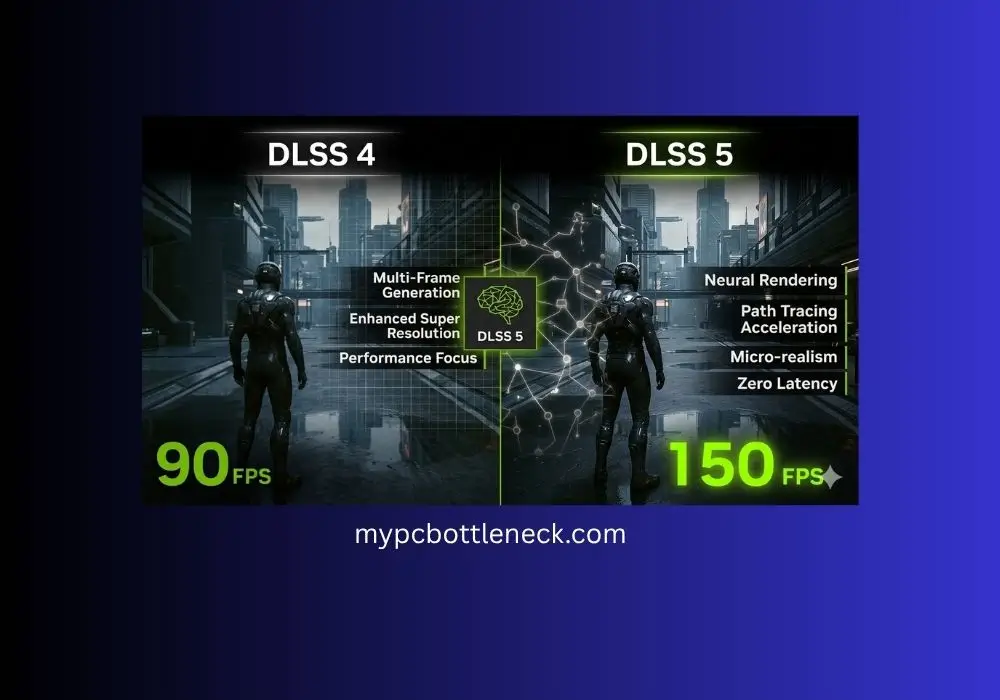
DLSS 4 vs DLSS 5 – Key Differences and Supported Cards
My friend kept telling me to try DLSS 4 before buying anything new. I kept saying my GPU was the problem. I bought a new GPU. Three weeks later I finally enabled DLSS Quality mode in Cyberpunk 2077 and went from 61 to 104 FPS. The image looked identical. I genuinely felt robbed by my own stubbornness.
That is the story of DLSS 4 for most people. It is sitting right there in your game settings. Most RTX card owners have never touched it. And it is the single biggest free performance upgrade in PC gaming right now.
Then in March 2026 NVIDIA went further. They announced DLSS 5 at GTC — a completely different technology that does not just boost FPS but adds photorealistic visual detail that the game engine never actually rendered. Hollywood-level lighting and material quality injected into each frame in real time. It is coming Fall 2026 and it changes what gaming visuals can look like on a single GPU.
This guide covers both. What DLSS 4 is, what DLSS 4.5 updated, what DLSS 5 actually does and when it arrives, which cards support each version, which games support DLSS 4 right now, how to enable it in five minutes, and how all of it connects to GPU bottlenecks and your system performance.
Table of Contents
What Is DLSS and Why Does It Matter?
DLSS stands for Deep Learning Super Sampling. Here is what it does in plain language:
Instead of your GPU rendering every pixel of every frame at full resolution — which is expensive and slow — DLSS renders the game at a lower resolution and then uses AI to reconstruct a sharp, high-quality full-resolution image.
Think of it like this. Rendering 4K natively means your GPU processes 8.3 million pixels every single frame. DLSS Quality mode renders at roughly 1440p internally — 3.7 million pixels — and the AI fills in the rest. Your GPU does less than half the work. FPS nearly doubles. And if the AI does its job well, you can barely tell the difference.
DLSS has been around since 2018 but it was mostly ignored in early versions because the image quality was noticeably worse than native. DLSS 4 changed that. The jump to a Transformer-based AI model the same type of architecture behind tools like ChatGPT produced image quality so close to native that most players cannot tell the difference at DLSS Quality mode.
Is DLSS 4 better than native rendering?
At DLSS Quality mode the honest answer is: most people cannot tell the difference. Digital Foundry testing in 2025 and 2026 consistently shows DLSS 4 Quality mode produces images nearly identical to native at normal viewing distances. In some cases DLSS 4 actually looks sharper than native because the AI adds fine detail the game engine missed. The only scenarios where native rendering clearly wins are still screenshots viewed at 100 percent zoom and very aggressive modes like DLSS Ultra Performance at 33 percent internal resolution.
In 2026 DLSS 4 is not a compromise. It is the recommended way to play for most people on RTX cards.
DLSS 4 Explained — The Current Standard
DLSS 4 launched on January 30, 2025 alongside the RTX 50-series Blackwell GPUs. Its most significant upgrade was switching from a convolutional neural network (CNN) to a Transformer-based AI model for Super Resolution.
What that means in practice: The Transformer model is significantly better at maintaining detail in motion, preserving fine textures, and handling reflections and transparent surfaces. Earlier DLSS versions had visible ghosting and smearing on fast-moving objects. DLSS 4’s Transformer model mostly eliminated these artifacts.
DLSS 4 has four main modes:
DLSS Super Resolution — Renders at lower resolution, AI upscales to your monitor’s native resolution. Available for RTX 20, 30, 40, and 50 series. The core feature that improves FPS while maintaining image quality.
DLSS Frame Generation — Inserts AI-generated frames between real rendered frames to increase displayed frame rate. Available for RTX 40 and 50 series only.
DLSS Multi Frame Generation — Inserts up to 3 additional AI-generated frames between each real rendered frame. Exclusive to RTX 50-series Blackwell GPUs. Can multiply FPS by 4x in supported games.
DLSS Ray Reconstruction — Improves the quality of ray-traced images using AI. Available for RTX 40 and 50 series.
| DLSS 4 Feature | RTX 20/30 | RTX 40 | RTX 50 | FPS Impact |
|---|---|---|---|---|
| Super Resolution | ✅ Yes | ✅ Yes | ✅ Yes | +30 to 70% |
| Frame Generation | ❌ No | ✅ Yes (1x) | ✅ Yes | Up to 2x |
| Multi Frame Generation | ❌ No | ❌ No | ✅ Yes (up to 4x) | Up to 4x |
| Ray Reconstruction | ❌ No | ✅ Yes | ✅ Yes | Quality boost |
DLSS 4.5 — What Changed at CES 2026
NVIDIA announced DLSS 4.5 at CES 2026 in January. It is not a separate product — it is an update to the existing DLSS 4 framework that brings two meaningful improvements.
Improvement 1 — Second generation Transformer model for Super Resolution
DLSS 4.5 updated the Super Resolution AI model with a second generation Transformer architecture trained on a significantly larger dataset. The result is better detail retention, fewer artifacts in motion, and improved handling of reflective surfaces compared to the original DLSS 4 model.
As NVIDIA confirmed: “DLSS 4.5 introduces a 2nd generation transformer model for DLSS Super Resolution that delivers state-of-the-art image quality.”
The good news: this update is available for every GeForce RTX GPU from RTX 20 series onwards. You do not need an RTX 50 card to benefit from DLSS 4.5 Super Resolution improvements.
Improvement 2 — 6X Dynamic Multi Frame Generation for RTX 50 series
RTX 50 series owners get access to 6X Dynamic Multi Frame Generation — up from the original 4X. This means the GPU inserts up to 5 AI-generated frames between each real rendered frame, automatically adjusting the multiplier to maintain smooth delivery.
At 4K with ray tracing, an RTX 5090 can deliver over 240 FPS with 6X Dynamic Multi Frame Generation enabled. That is not a benchmark number — that is real-time playable performance.
How to get DLSS 4.5 right now:
- Install the latest NVIDIA app from nvidia.com
- Open the NVIDIA app
- Go to the Graphics tab
- Find DLSS Override — Model Presets
- Select Latest or Recommended
- Apply globally or per game
This applies the DLSS 4.5 model to any game that supports DLSS, even if the game has not been updated to officially include it.
DLSS 5 Explained — The Coming Revolution
NVIDIA announced DLSS 5 at GTC 2026 on March 16, 2026. It launches in Fall 2026.
Here is the critical thing to understand: DLSS 5 is fundamentally different from everything that came before it. DLSS 4 and all earlier versions are performance technologies — they make games run faster by doing less work. DLSS 5 is a visual fidelity technology — it makes games look dramatically better.
What DLSS 5 actually does:
DLSS 5 uses a neural rendering model to inject photorealistic lighting, material detail, skin, fabric, foliage, and environmental effects into each game frame in real time. The GPU renders the game as normal, then DLSS 5 analyzes the frame and adds Hollywood-level visual detail that the game engine never actually computed.
NVIDIA’s GTC demo showed a human character in a scene. The standard rendering looked like a high-end game. With DLSS 5 enabled, the skin pores, fabric weave, and subtle lighting became indistinguishable from a pre-rendered film. The same hardware. The same game. Just DLSS 5 processing the output.
What DLSS 5 is NOT:
DLSS 5 is not primarily a frame rate booster. It does not generate extra frames. It does not upscale a lower resolution image. It generates entirely new detail that did not exist in the original render. Think of it as a post-processing filter that adds visual complexity at a level no game engine can produce in real time natively.
Current DLSS 5 status (as of June 2026):
- Announced at GTC 2026 on March 16, 2026
- Launching Fall 2026
- Confirmed exclusively for RTX 50-series GPUs at launch
- RTX 40 support not confirmed as of this writing
- 16 launch partner games confirmed including Starfield, Hogwarts Legacy, Assassin’s Creed Shadows, Resident Evil Requiem, Oblivion Remastered, Phantom Blade Zero, and Delta Force
One important technical note:
The GTC demonstration required two RTX 5090 GPUs — one to render the game and one to run the DLSS 5 neural rendering model simultaneously. NVIDIA confirmed the shipping version will run on a single GPU, but performance requirements will be significant. DLSS 5 requires a considerable amount of processing power. It’s still in development, but the demos were powered using a pair of RTX 5090s, one doing the standard rendering up to DLSS 4.5, and DLSS 5 requiring a GPU all of its own. The plan is for a single card to be able to do both jobs.
DLSS 4 vs DLSS 5 — Key Differences
| Feature | DLSS 4 / 4.5 | DLSS 5 |
|---|---|---|
| Primary Goal | More FPS | Better visuals |
| How It Works | Upscales lower resolution + generates extra frames | Neural rendering adds photorealistic detail to existing frames |
| Release Status | Available now | Fall 2026 |
| Supported GPUs | RTX 20, 30, 40, 50 series | RTX 50 series confirmed. Others unconfirmed. |
| FPS Impact | Up to 4x to 6x with MFG | Not primarily a performance tool |
| Visual Quality | Near-native at Quality mode | Above native — photorealistic detail added |
| Supported Games | 250+ games | 16 confirmed at launch |
| Should You Wait? | Enable it today — free FPS now | Requires RTX 50 series. Wait and see. |
The simple summary: Use DLSS 4 right now if you have any RTX card. It is free, it works, and it gives you the biggest FPS gain available without buying anything. DLSS 5 is something to look forward to in Fall 2026 if you have an RTX 50 series card — but it solves a different problem. It makes games look better, not necessarily run faster.
DLSS 4 Supported Cards — Every GPU Explained
RTX 20 and RTX 30 cards remain useful for current DLSS features, but they lack the newer frame-generation hardware path used by RTX 40 and RTX 50. GTX, AMD, and Intel cards do not run NVIDIA DLSS. AMD users should look at FSR, and Intel users should look at XeSS.
RTX 50 Series (Full DLSS 4 and 4.5 — Every Feature): RTX 5090, RTX 5080, RTX 5070 Ti, RTX 5070, RTX 5060 Ti, RTX 5060
- Super Resolution with 2nd Gen Transformer model
- 6X Dynamic Multi Frame Generation
- Frame Generation
- Ray Reconstruction
- DLSS 5 Neural Rendering confirmed for Fall 2026
RTX 40 Series (Strong DLSS 4 Support): RTX 4090, RTX 4080 Super, RTX 4080, RTX 4070 Ti Super, RTX 4070 Ti, RTX 4070 Super, RTX 4070, RTX 4060 Ti, RTX 4060
- Super Resolution with 2nd Gen Transformer model
- Frame Generation (1x — one additional frame)
- Ray Reconstruction
- Multi Frame Generation NOT available
- DLSS 5 support unconfirmed as of June 2026
RTX 30 Series (Super Resolution Only): RTX 3090, RTX 3080, RTX 3070, RTX 3060 Ti, RTX 3060, and others
- Super Resolution with 2nd Gen Transformer model via DLSS 4.5 update
- No Frame Generation hardware
- No Multi Frame Generation
- No Ray Reconstruction
RTX 20 Series (Super Resolution Only): RTX 2080 Ti, RTX 2080 Super, RTX 2070 Super, RTX 2060 Super, and others
- Super Resolution with 2nd Gen Transformer model via DLSS 4.5 update
- No Frame Generation hardware
- No Multi Frame Generation
- No Ray Reconstruction
GTX Series, AMD, Intel: No DLSS support of any kind. AMD cards use FSR (FidelityFX Super Resolution). Intel cards use XeSS.
DLSS 4 Supported Games — Over 250 Titles
Over 250 games and applications support DLSS 4 with Multi Frame Generation. At CES 2026, NVIDIA is announcing even more RTX integrations for highly anticipated games including 007 First Light, Phantom Blade Zero, PRAGMATA, Resident Evil Requiem and more.
Here are the most popular games supporting DLSS 4 in 2026:
| Game | Super Resolution | Frame Gen | Multi Frame Gen |
|---|---|---|---|
| Cyberpunk 2077 | ✅ | ✅ | ✅ |
| Alan Wake 2 | ✅ | ✅ | ✅ |
| Hogwarts Legacy | ✅ | ✅ | ✅ |
| Marvel Rivals | ✅ | ✅ | ✅ |
| Fortnite | ✅ | ✅ | ✅ |
| Black Myth Wukang | ✅ | ✅ | ✅ |
| Assassin’s Creed Shadows | ✅ | ✅ | ✅ |
| Phantom Blade Zero | ✅ | ✅ | ✅ |
| GTA 5 Enhanced | ✅ | ✅ | ⚠️ Check |
| 007 First Light | ✅ | ✅ | ✅ |
Over 250 total games support DLSS 4. Check nvidia.com/en-us/geforce/technologies/dlss/supported-games/ for the full list.
How to Enable DLSS 4 Right Now
Method 1 — In-Game Settings (Easiest)
Most DLSS-supported games have the option directly in their graphics settings:
- Open your game
- Go to Settings, Graphics, or Video
- Look for DLSS, Upscaling, or Super Resolution
- Select DLSS Quality for the best balance of image quality and FPS
- Apply and play
DLSS Quality modes explained:
- DLSS Quality — Renders at roughly 67% of native resolution. Best image quality. Recommended for most players.
- DLSS Balanced — Renders at roughly 58% of native. Good quality and strong FPS boost.
- DLSS Performance — Renders at roughly 50% of native. Maximum FPS. Some visible quality reduction.
- DLSS Ultra Performance — Renders at 33% of native. Only for very FPS-hungry scenarios. Noticeable quality loss.
For most gamers at 1440p or 4K: DLSS Quality is the correct choice. You get 30 to 60% more FPS with image quality most people cannot distinguish from native rendering.
Method 2 — NVIDIA App Override (Applies DLSS 4.5 to Any Supported Game)
This method applies the latest DLSS 4.5 Transformer model to games even if they have not been updated to include it officially:
- Download and install the NVIDIA app from nvidia.com
- Open the NVIDIA app
- Go to the Graphics tab
- Find DLSS Override — Model Presets
- Select Latest or Recommended
- Choose Apply globally or select specific games
This is the recommended approach in 2026. It ensures you are always running the best available DLSS model regardless of how recently your games were updated.
Does DLSS Fix a GPU Bottleneck?
Yes — and it is the most effective free fix available for a GPU bottleneck in 2026.
A GPU bottleneck occurs when your graphics card cannot produce frames fast enough to reach your target FPS. The GPU is the performance ceiling. DLSS directly addresses this by reducing the amount of work the GPU has to do per frame.
Here is what happens when you enable DLSS Quality at 4K:
- Native 4K: GPU renders 8.3 million pixels per frame
- DLSS Quality: GPU renders approximately 3.7 million pixels per frame, AI reconstructs the rest
- Result: GPU completes each frame in roughly half the time
- FPS: Increases by 30 to 60 percent without any hardware upgrade
If your GPU is at 95 to 100 percent usage and FPS is below your target, enabling DLSS is the first fix to try before considering any hardware upgrade. It is free, takes two minutes to enable, and in most supported games at 1440p and 4K produces results you cannot visually distinguish from native rendering.
If you are unsure whether your system has a GPU bottleneck, a CPU bottleneck, or something else entirely, our free PC Bottleneck Calculator gives you the exact percentage for your specific CPU and GPU combination in 30 seconds.
For a full breakdown of what a GPU bottleneck is and every fix available, read our GPU Bottleneck guide.
For CPU bottlenecks specifically — where your GPU is sitting at 50 to 70 percent while CPU is maxed — DLSS can actually make things worse by making the GPU faster. The CPU cannot keep up even more. In that case read our CPU Bottleneck guide first.
DLSS vs FSR vs XeSS — Which Should You Use?
| Feature | DLSS 4 | FSR 4 | XeSS 2 |
|---|---|---|---|
| GPU Compatibility | NVIDIA RTX only | AMD, NVIDIA, Intel | Intel, NVIDIA, AMD |
| Image Quality | Best | Good (RX 9000) | Good |
| Frame Generation | Yes — up to 6x | Yes — FSR FG | Limited |
| AI Model | Transformer (latest) | ML-based (RX 9000) | AI upscaling |
| Best For | RTX card owners | AMD RX 9000 owners | Intel Arc owners |
The simple answer: If you have an NVIDIA RTX card, use DLSS. It is the best upscaling technology available and runs natively on your hardware. If you have an AMD GPU, use FSR 4 on RX 9000 series cards or FSR 3 on older cards. If you have an Intel Arc GPU, use XeSS.
Never use FSR on an RTX card when DLSS is available. FSR is a spatial upscaler that does not use your RTX card’s dedicated Tensor cores. DLSS uses those cores specifically and produces significantly better results.
Frequently Asked Questions
What is DLSS 4 in simple words?
DLSS 4 is a technology that lets your GPU render games at a lower resolution and then uses AI to make the image look like it was rendered at full resolution. The result is higher FPS with similar image quality. Think of it as your GPU doing less work while the AI does the rest.
Does DLSS 4 work on RTX 30 series?
Yes. DLSS 4 Super Resolution with the Transformer model is available on RTX 20, 30, 40, and 50 series cards via the NVIDIA app DLSS override. However Frame Generation and Multi Frame Generation require RTX 40 and RTX 50 series respectively. RTX 30 series gets the image quality benefits but not the frame generation multipliers.
What is the difference between DLSS 4 and DLSS 4.5?
DLSS 4.5 is an update to DLSS 4 announced at CES 2026. It uses a second generation Transformer model for better Super Resolution image quality and adds 6X Dynamic Multi Frame Generation for RTX 50 series cards. Super Resolution improvements from DLSS 4.5 are available for all RTX cards via NVIDIA app.
When does DLSS 5 come out?
NVIDIA has announced that DLSS 5 will be arriving in Fall of 2026. No exact date has been confirmed. It will roll out via the NVIDIA app and game-specific patches.
Will DLSS 5 work on RTX 40 series?
NVIDIA has only confirmed DLSS 5 Neural Rendering for RTX 50-series GPUs at launch. RTX 40 series support is unconfirmed as of June 2026. Given the high computational requirements shown in the GTC demo, full DLSS 5 performance on RTX 40 series is uncertain.
Does enabling DLSS fix a CPU bottleneck?
No. DLSS reduces GPU workload not CPU workload. If your CPU is the bottleneck sitting at 90 to 100 percent while your GPU is at 50 to 70 percent DLSS will not help and may actually expose the CPU bottleneck more by making the GPU faster. Use our PC Bottleneck Calculator to diagnose whether you have a CPU or GPU bottleneck before making any changes.
Should I use DLSS Quality or DLSS Performance?
DLSS Quality is recommended for most gamers. It renders at roughly 67% of native resolution and produces near-native image quality with 30 to 60% more FPS. DLSS Performance at 50% native resolution offers more FPS but has visible quality reduction at close inspection. Only use Performance mode if you genuinely need the extra frames and the quality trade-off is acceptable.
Does DLSS work in competitive games?
Yes but Frame Generation is generally not recommended for competitive play. Generated frames add latency — there is a delay between your input and seeing the result on screen. For single-player and casual gaming, Frame Generation is excellent. For competitive shooters where input latency matters, use Super Resolution only. NVIDIA Reflex can offset some of the latency impact if your game supports it.
One Last Thing Before You Go
DLSS 4 is one of the best free upgrades available to any RTX card owner in 2026. If you have not enabled it in your games yet, you are leaving significant FPS on the table for no reason.
Enable DLSS Quality mode in your most-played game today. Open the game’s graphics settings, find the upscaling option, select DLSS Quality, and compare FPS before and after. Most players see 30 to 60 percent more FPS with image quality they cannot distinguish from native.
DLSS 5 is coming and it is genuinely exciting — but it is a different technology solving a different problem. You do not need to wait for it. DLSS 4 is excellent right now.
If enabling DLSS improved your FPS significantly and you still feel like something is holding your system back, check your exact bottleneck with our free PC Bottleneck Calculator. It tells you in 30 seconds whether your GPU or CPU is the real ceiling in your system.
