Best CPU for RX 9060 XT (2026)- 9 Picks for Every Budget
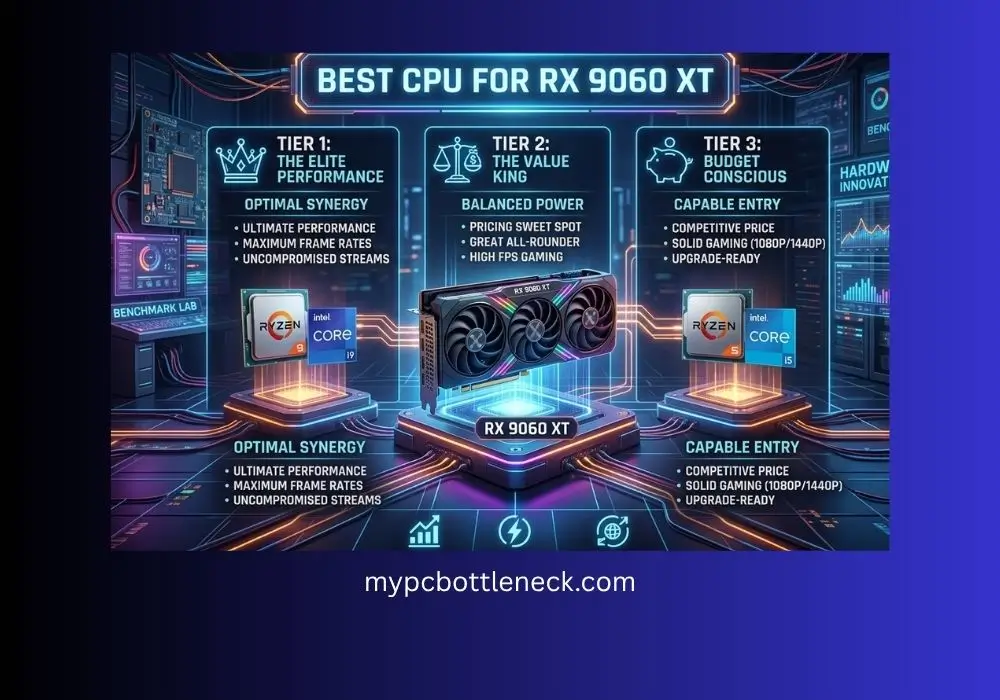
The best CPU for RX 9060 XT builds is the Ryzen 5 7600 for most people building a new PC. If you already own an AM4 board, an X3D chip like the Ryzen 7 5700X3D is the best upgrade. A Ryzen 5 5600 still works, but a real test shows it falls behind in fast games.
Your best pick depends on what you own now, your screen, and the games you play. So we start with a quick check to see if your CPU is even the problem. Then we show Mynavi’s testing results and give picks for every budget.
🏆 Top Picks at a Glance
Quick Answer: Best CPU for RX 9060 XT
| Your situation | Pick | Why |
|---|---|---|
| Building new | Ryzen 5 7600 (or Ryzen 5 9600X) | Six fast cores and the AM5 upgrade path. The 7600 was in a real test with this card. |
| On AM4, want more frames | Ryzen 7 5700X3D | Big cache helps in fast games. A close sibling, the 5800X3D, kept up with the 7600 in testing. |
| On AM4, tight budget | Ryzen 5 5600 | Works, but it was the first chip to hold this card back at 1080p. |
| Cheapest AM5 route | Ryzen 5 7500F | A six-core AM5 chip that costs less. |
| Skip pairing with | Anything older than a Ryzen 5 3600 or 8th-gen Intel | You will lose real frames in CPU-heavy titles. |
Already deciding between GPUs instead? Check our RX 9060 XT vs RTX 5060 Ti comparison for the full breakdown.
Table of Contents
This guide is based on desk research, not hands-on lab testing. We compare published manufacturer specifications, weigh real-world compatibility and value for each use case, track current prices and availability on Amazon, and reference publicly available benchmark data from established review outlets. We do not run our own hardware tests — any performance figures are estimates drawn from public sources and will vary with your system, drivers, and settings.
Wait, Are You Talking About the 8GB or 16GB Version?
This trips up a lot of people. The RX 9060 XT comes with 8GB or 16GB of VRAM. Tom’s Hardware says the two cards share mostly the same specs, so the CPU advice here fits the best CPU for RX 9060 XT 16GB builds and the 8GB card too. Your CPU does not care how much VRAM sits behind the GPU.
Where the cards differ is VRAM-heavy games at high settings. Tom’s Hardware warned readers to be wary of the 8GB models. If you see stutter or texture pop-in on the 8GB card, look at VRAM use before you blame your processor. Our what is VRAM guide shows how to check it.
What Mynavi’s Tests Show With the RX 9060 XT
Mynavi News tested the Ryzen 7 9800X3D, Ryzen 5 7600, Ryzen 7 5800X3D (10th Anniversary Edition) and Ryzen 5 5600 with the RX 9060 XT 16GB. All games ran at 1080p. The AM4 chips used DDR4-3200 and the AM5 chips used DDR5-6000.
One thing to know. Three of the four games used the Balanced upscaler, and the Radeon card used FSR Frame Generation 2x. Only Overwatch ran without upscaling or frame generation. That can change how hard the CPU works, so treat these results as a guide, not a promise.
Here is what Mynavi found with the RX 9060 XT:
| Game and setting | What happened |
|---|---|
| Monster Hunter Wilds, lowest settings | The 9800X3D, 7600 and 5800X3D all averaged 182 to 183.3 FPS. The 5600 averaged 136.8 FPS. |
| Monster Hunter Wilds, highest settings | The 5600 had a clear drop in average FPS and in 1% low FPS. |
| Marvel Rivals | The 5600 had a big drop in average FPS, even with this card. |
| Overwatch, low settings | The X3D chips did best. The 5600 dropped a lot. |
| Cyberpunk 2077, low settings | The 9800X3D was highest. The 5600 dropped in average and 1% low FPS. |
| Cyberpunk 2077, heaviest ray tracing mode | Almost no difference between the four CPUs. The card was the limit. |
1% low FPS shows the slow dips. Big dips feel like stutter, so they matter as much as the average.
Here is the simple lesson. When a game or setting is easy on the GPU, the CPU matters more. When the game is very heavy on the GPU, like the top ray tracing mode in Cyberpunk, the CPU matters little. That is why a cheap chip can look fine in one game and weak in another.
Mynavi’s own verdict was clear. For a new build, the Ryzen 5 7600 was the best balance. For someone already on AM4, the 5800X3D was the better upgrade. Mynavi also said the high cost of DDR5 had made AM4 look attractive again for people who can keep their board and RAM.
One more number from the test. In Cyberpunk, the whole PC peaked at 317W with the 9800X3D, 314W with the 7600, 271W with the 5800X3D and 272W with the 5600, all with the RX 9060 XT. That was Mynavi’s own test PC, so your number will differ. For PSU help, see our best 750W PSU guide.
Are You Even CPU Bound? Check This First
Before you spend money on a new CPU, do this one thing. Watch your GPU usage while you game. You can use the AMD Adrenalin overlay, MSI Afterburner, Task Manager, or our HWiNFO64 guide.
Here is the rule of thumb. If GPU usage sits at 95 to 100 percent, the GPU is working hardest, so it is the limit. A CPU limit looks different. GPU usage drops into the 70 to 85 percent range while one or more CPU cores sit near 100 percent.
Test your own CPU and GPU pair on our free bottleneck calculator.
There is a second test from a Tom’s Hardware forum thread. Run your game, then lower the resolution and settings. If FPS goes up, your CPU still has room. If FPS stays the same, you are likely CPU limited.
Online bottleneck percentages are only estimates. Real tests and your own GPU usage tell you much more.
The takeaway: run this check in your real games before you buy anything. You might already have everything you need.
Best AM5 Picks (New Build or Platform Upgrade)
We may earn a commission from purchases made through these links, at no extra cost to you.
| CPU | Best for | Notes | Where to buy |
|---|---|---|---|
| Ryzen 5 7600 | BEST FOR MOST BUILDS | Six cores, 32MB cache, up to 5.1GHz. Mynavi tested it with this card and called it the best balance for new builds. | Buy on Amazon |
| Ryzen 5 9600X | NEWEST AM5 PICK | Zen 5, six cores, 65W, up to 5.4GHz. Not in the Mynavi test, so the 7600 is the closest tested chip. | Buy on Amazon |
| Ryzen 7 7800X3D | FUTURE-PROOF | Only worth it if you plan a stronger GPU later. With this card, the 9800X3D only matched the 7600 in Monster Hunter Wilds at lowest settings. | Buy on Amazon |
For most people building fresh around this card, the 7600 or 9600X is where to land. You get good headroom for 1080p high refresh and 1440p without paying for a chip this card cannot fully use. Already own a 9600X? Our best GPU for Ryzen 5 9600X guide covers that pairing. Planning a bigger card later? See best CPU for RTX 5070 and 5070 Ti.
Best CPU for RX 9060 XT on AM4 (Keep Your Motherboard)
| CPU | Best for | Notes | Where to buy |
|---|---|---|---|
| Ryzen 7 5700X3D | BEST AM4 GAMING PICK | 3D V-Cache chip for AM4. Mynavi tested the 5800X3D, a close sibling, and it matched the 7600 and 9800X3D in Monster Hunter Wilds at lowest settings. The 5700X3D was not tested, so expect similar but not identical results. | Buy on Amazon |
| Ryzen 7 5700X | BEST VALUE AM4 UPGRADE | Eight cores, no 3D cache. Not in the Mynavi test. A step up from the 5600 if the X3D chips cost too much. | Buy on Amazon |
| Ryzen 5 5600 | BUDGET AM4 OPTION | Fine as a bridge. In the test it fell behind in Monster Hunter Wilds, Marvel Rivals, Overwatch and low-setting Cyberpunk. | Buy on Amazon |
Should you stay on AM4 or switch? If you already have a decent AM4 board and DDR4, an X3D chip gets you most of the gain without a new platform. If you are buying board, RAM and CPU together, Mynavi leaned toward the 7600 and AM5 because it gives you room to swap CPUs later. Our DDR4 vs DDR5 breakdown and best AM4 CPU for gaming guide help you decide.
If you are picking the best CPU for RX 9060 XT AM4 builds, match the chip to your games. The 5600 is not a bad chip, but it is the one most likely to hold this card back at 1080p.
Best Budget Picks
| CPU | Best for | Notes | Where to buy |
|---|---|---|---|
| Ryzen 5 7500F | BEST BUDGET AM5 | A six-core AM5 chip that costs less than the 7600. Not in the Mynavi test. | Buy on Amazon |
| Core i5-12400F | BEST BUDGET INTEL | A six-core Intel option if you already own a compatible LGA1700 board. Not in the Mynavi test. | Buy on Amazon |
| Core i5-13400F | STEP-UP INTEL | Six cores with more threads than the 12400F. A sensible step up from the 13100F if you already own an LGA1700 board. Not in the Mynavi test. | Buy on Amazon |
| Core i3-13100F | ENTRY POINT | Four cores, the weakest chip here. Plan a step up if you play CPU-heavy games. | Buy on Amazon |
Looking for the best budget CPU for RX 9060 XT setups? Start with the 7500F if you are building new, or keep your 5600 and upgrade later if your games run well. The i5-12400F makes sense mostly when you already own the board.
One Linus Tech Tips forum thread had someone on an i3-13100F with DDR5 at 1440p, asking what CPU would give a real boost without overkill. That is the right instinct. You do not need a 7800X3D to step up from an i3. A 7500F, 7600 or i5-13400F is the sensible middle step. If you are also shopping for a card, see our best CPU for RTX 5060 guide.
FAQs: Best CPU for RX 9060 XT
Do I need to upgrade my CPU if my GPU usage is already near 100 percent?
No. If GPU usage sits near 100 percent in your games, the GPU is the limit and a new CPU will not add much. Check your usage before you spend anything.
Will a Ryzen 5 5600 hold back the RX 9060 XT?
At 1080p, in many games, yes. In the Mynavi test the 5600 fell behind with this card in four of the six cases listed above. At 1440p the gap is usually smaller because the card works harder. In a Tom’s Hardware forum thread, one member said a 5600 could hold things back a little at 1080p but still called the GPU upgrade worthwhile. Another member suggested using Super Resolution to render at 1440p on a 1080p screen to give the GPU more work.
How can I tell if my CPU is the limit?
A Tom’s Hardware forum member shared a simple test. Lower your resolution and settings. If FPS rises, the CPU has room. If FPS stays the same, you are likely CPU limited. The thread starter tried it in Cyberpunk 2077 with a Ryzen 5 5600 while still on an older RX 6600. They got 140 FPS at 1080p lowest and 140 FPS at 720p lowest, and GPU use fell to 60 percent at 720p. Same FPS with less GPU use points to a CPU limit, and that limit stays with the CPU when you change the card.
Does the 8GB or 16GB version change which CPU I should buy?
No. Tom’s Hardware says the two cards share mostly the same specs, so the CPU advice is the same. The difference is VRAM in heavy games at high settings, which is a separate problem from a CPU limit.
Should I stay on AM4 or switch to AM5?
If you already have a recent AM4 board and DDR4, an X3D chip like the 5700X3D is the lower-cost way to get more frames. If you are buying a full set of parts, Mynavi favored the Ryzen 5 7600 on AM5 for its balance and upgrade room.
Does PCIe 4.0 on an AM4 board hold this card back?
Not in a way most people will notice, according to a member of the same Tom’s Hardware forum thread. They said only the very strongest graphics cards are affected by PCIe slot generation, and even then not by much. That is one member’s view, not a lab test.
What is a good CPU if I am stepping up from an i3-13100F?
You do not need a flagship chip. A 7500F, 7600 or i5-13400F is the realistic next step for this GPU tier.
Final Words: Best CPU for RX 9060 XT
The RX 9060 XT is a good card. You just need a CPU that fits it, not one that overshoots it. The best CPU for 9060 XT builds comes down to your platform, your games and your budget. For most new builds, that means the Ryzen 5 7600. For AM4 owners, it means an X3D chip if you want more frames, or your current chip if your games already run well.
Still choosing a GPU brand? See our Nvidia vs AMD guide, or check whether FSR 4 support changes your decision. And check your GPU usage first.